Implementing JWT Authentication in Node.js: From Zero to Secure
Published nodejsjwtauthenticationexpress
JWT auth shows up in almost every Node.js tutorial, but most examples stop at “here’s how to sign a token.” Real production auth needs: secure secret management, proper claim structure, protected route middleware, and a refresh token flow. This guide builds the full pattern from a login endpoint to a protected route — with the security settings that actually matter.
Setup
npm install jsonwebtoken bcryptjs// .env
JWT_SECRET=your-256-bit-random-secret # openssl rand -hex 32
JWT_EXPIRES_IN=15m
REFRESH_SECRET=another-256-bit-secret
REFRESH_EXPIRES_IN=7dToken Generation — Login Endpoint
const jwt = require('jsonwebtoken');
const bcrypt = require('bcryptjs');

async function login(req, res) {
  const { email, password } = req.body;

  // 1. Find user and verify password
  const user = await User.findByEmail(email);
  if (!user || !await bcrypt.compare(password, user.passwordHash)) {
    return res.status(401).json({ error: 'Invalid credentials' });
  }

  // 2. Sign access token — minimal claims, short lifetime
  const accessToken = jwt.sign(
    { sub: user.id, role: user.role },          // payload: only what you need
    process.env.JWT_SECRET,
    { expiresIn: process.env.JWT_EXPIRES_IN, issuer: 'your-app' }
  );

  // 3. Sign refresh token — longer lifetime, stored server-side
  const refreshToken = jwt.sign(
    { sub: user.id, type: 'refresh' },
    process.env.REFRESH_SECRET,
    { expiresIn: process.env.REFRESH_EXPIRES_IN }
  );

  // Store refresh token hash in DB for revocation
  await storeRefreshToken(user.id, refreshToken);

  // Return access token in body, refresh token in httpOnly cookie
  res.cookie('refreshToken', refreshToken, {
    httpOnly: true, secure: true, sameSite: 'strict',
    maxAge: 7 * 24 * 60 * 60 * 1000, // 7 days in ms
  });
  res.json({ accessToken });
}
Protected Route Middleware
function authenticate(req, res, next) {
  const authHeader = req.headers.authorization;
  const token = authHeader?.replace(/^Bearer\s+/i, '');

  if (!token) return res.status(401).json({ error: 'No token provided' });

  try {
    const payload = jwt.verify(token, process.env.JWT_SECRET, {
      algorithms: ['HS256'],          // always specify — prevents alg:none
      issuer: 'your-app',             // reject tokens from other issuers
    });
    req.user = payload;               // { sub, role, iat, exp, iss }
    next();
  } catch (err) {
    if (err.name === 'TokenExpiredError') {
      return res.status(401).json({ error: 'Token expired', code: 'TOKEN_EXPIRED' });
    }
    res.status(401).json({ error: 'Invalid token' });
  }
}

// Usage
app.get('/api/profile', authenticate, (req, res) => {
  res.json({ userId: req.user.sub, role: req.user.role });
});
Refresh Token Endpoint
async function refreshAccessToken(req, res) {
  const refreshToken = req.cookies.refreshToken;
  if (!refreshToken) return res.status(401).json({ error: 'No refresh token' });

  try {
    const payload = jwt.verify(refreshToken, process.env.REFRESH_SECRET, {
      algorithms: ['HS256'],
    });

    // Verify it's a refresh token and still valid in DB
    const stored = await getRefreshToken(payload.sub, refreshToken);
    if (!stored) return res.status(401).json({ error: 'Refresh token revoked' });

    // Issue new access token
    const accessToken = jwt.sign(
      { sub: payload.sub, role: stored.user.role },
      process.env.JWT_SECRET,
      { expiresIn: process.env.JWT_EXPIRES_IN, issuer: 'your-app' }
    );

    res.json({ accessToken });
  } catch {
    res.status(401).json({ error: 'Invalid refresh token' });
  }
}
Security Checklist
Quick reference before you ship:
- ✅ Secret is at least 256 bits, stored in env vars
- ✅
algorithmsoption specified injwt.verify() - ✅ Access token lifetime ≤ 1 hour
- ✅ Refresh tokens stored server-side (enables revocation)
- ✅ Refresh tokens in
httpOnly; Secure; SameSite=Strictcookies - ✅
issuerclaim set and verified - ❌ No secrets or PII in the payload
- ❌ No
alg: nonepossibility
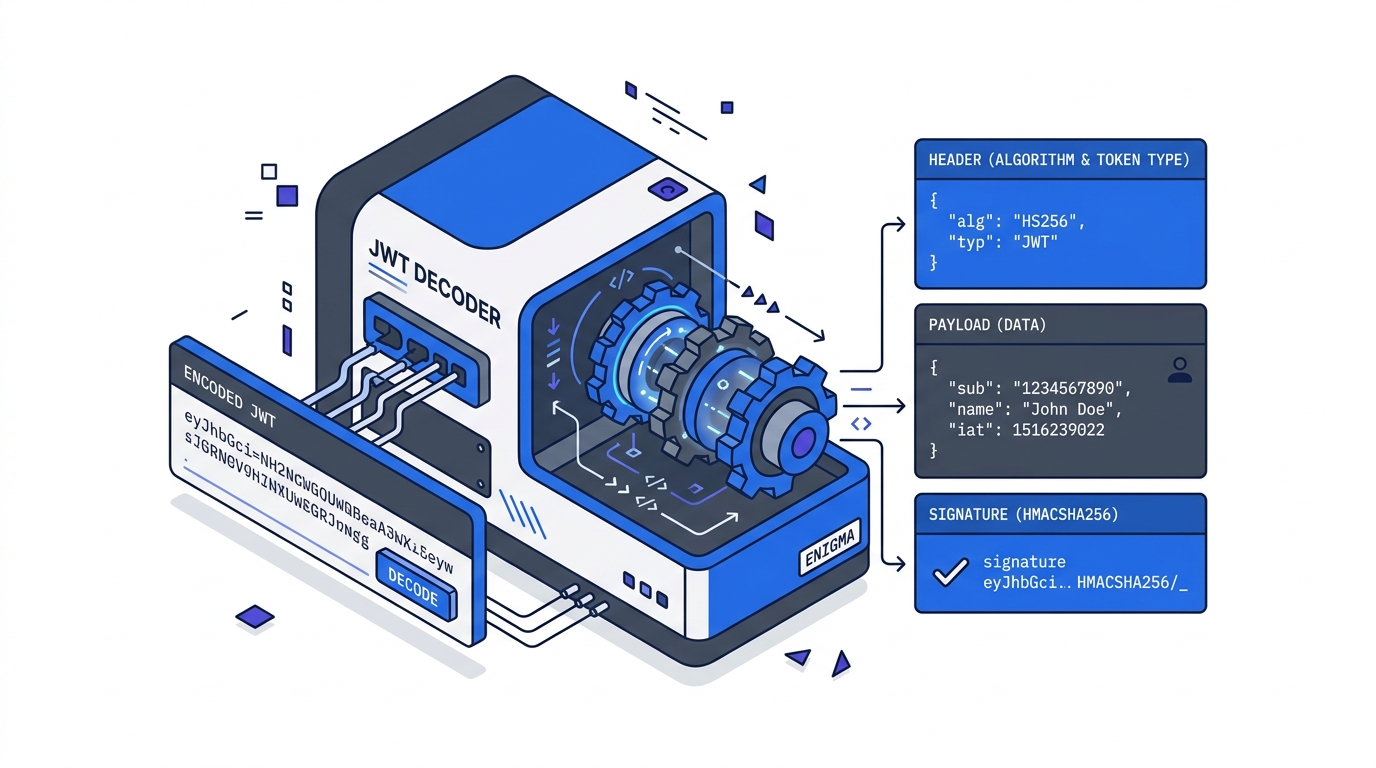
Verify your token structure during development with our free JWT decoder — paste the access token to confirm the claims, expiry, and algorithm are exactly what you expect.
Further Reading
Try it in your browser
No setup needed — use our free JWT Decoder directly online.