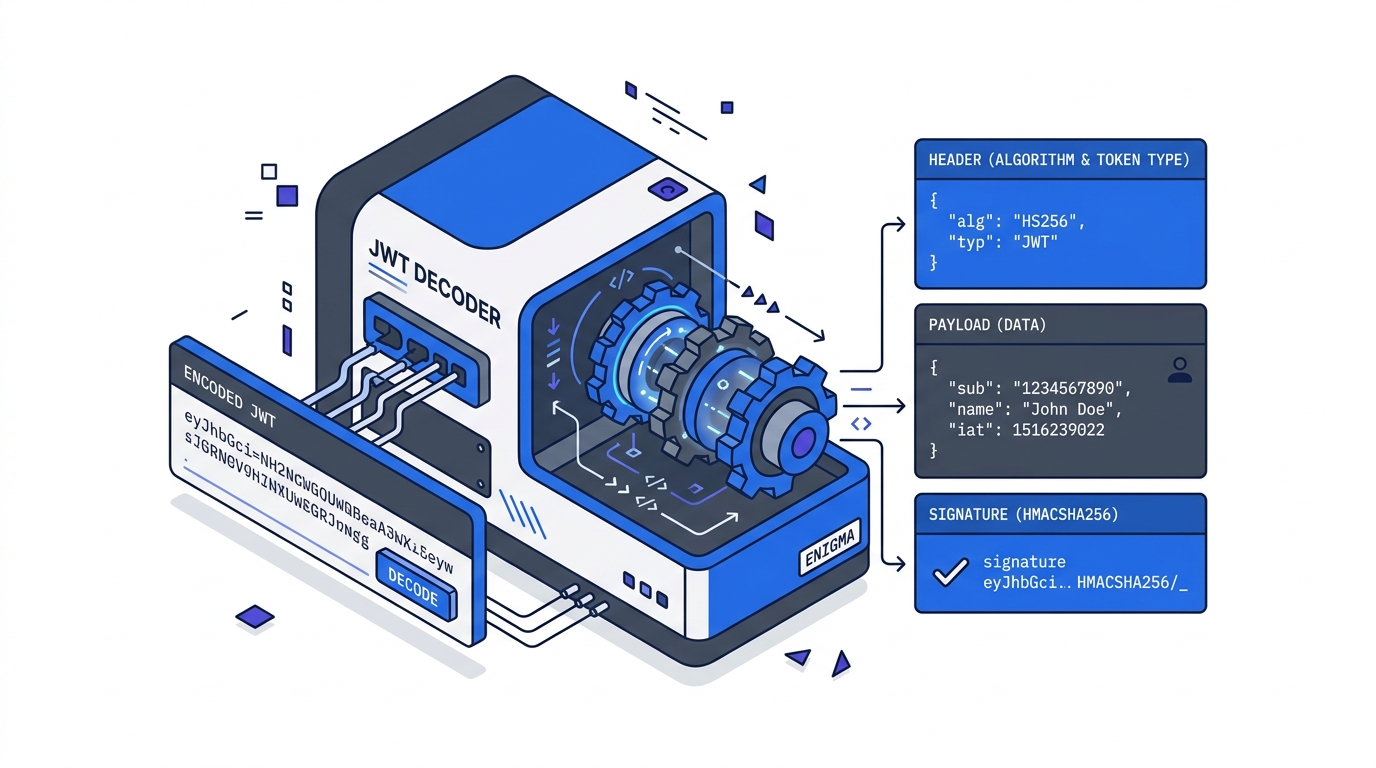
JWT Explained: What's Actually Inside a JSON Web Token
Published jwtauthenticationsecuritywebdev
You’re integrating an API and you get back a token that starts with eyJ. You paste it somewhere and suddenly you can read your user’s email address, their user ID, and an expiry timestamp. No decryption key needed. How? And if anyone can read it, is that secure?
JWTs look encrypted but aren’t. That tension — readable but trustworthy — is the whole point. Understanding it takes about five minutes, and it changes how you think about auth tokens for good.
What is a JWT?
A JSON Web Token is three base64url-encoded strings joined by dots:
header.payload.signatureTake a real minimal example:
eyJhbGciOiJIUzI1NiIsInR5cCI6IkpXVCJ9.eyJzdWIiOiJ1c2VyXzEyMyIsImVtYWlsIjoidXNlckBleGFtcGxlLmNvbSIsImV4cCI6MTcxMjcwMDAwMH0.signatureEach part can be decoded in a browser console right now — no keys, no secrets, no libraries:
// Manually decode the payload (works in any browser console)
const token = "eyJhbGciOiJIUzI1NiIsInR5cCI6IkpXVCJ9.eyJzdWIiOiJ1c2VyXzEyMyIsImVtYWlsIjoidXNlckBleGFtcGxlLmNvbSIsImV4cCI6MTcxMjcwMDAwMH0.signature";
const payload = JSON.parse(atob(token.split('.')[1].replace(/-/g, '+').replace(/_/g, '/')));
console.log(payload);
// { sub: "user_123", email: "user@example.com", exp: 1712700000 }
Part 1 — Header: Contains alg (the signing algorithm, e.g. HS256 or RS256) and typ (always "JWT"). Decoded, it looks like { "alg": "HS256", "typ": "JWT" }.
Part 2 — Payload: The claims — data statements about the user or token. These are just JSON key-value pairs. Standard claim names are short by convention (sub, exp, iat) but the values can be anything. Custom claims like role or org_id are perfectly valid.
Part 3 — Signature: An HMAC or RSA hash of base64url(header) + "." + base64url(payload), computed using a secret known only to the issuer. This is the part that makes the token trustworthy — not readable-ness, but tamper-evidence.
The key insight: JWTs are signed, not encrypted. The payload is readable by anyone who has the token. Only the issuer can produce a valid signature.
Standard Claims
The JWT spec defines a set of registered claim names. You don’t have to use them, but you should — they’re understood by every JWT library.
| Claim | Name | Meaning |
|---|---|---|
sub | Subject | User identifier (user ID, email, etc.) |
iss | Issuer | Who created the token (your auth server) |
aud | Audience | Who the token is intended for |
exp | Expiration | Unix timestamp when token expires |
iat | Issued at | Unix timestamp when token was created |
nbf | Not before | Token not valid before this timestamp |
jti | JWT ID | Unique token identifier (for revocation) |
exp and iat are Unix timestamps — seconds since January 1 1970. An exp of 1712700000 means the token expires at a specific calendar date and time. Paste any JWT into our JWT decoder tool to see the header, payload, and claims broken out — without sending the token to any server.
Why it Works — and Where it Doesn’t
The signature prevents tampering. If you change even one byte of the payload, the signature becomes invalid. The server verifies by re-computing the signature with its own secret and comparing. If they match, the payload hasn’t been touched since the issuer signed it.
But the payload is public. Everyone who holds the token can read it. That means:
- Never put passwords, credit card numbers, or API secrets in a JWT payload.
- Never put anything you wouldn’t put in a cookie you’re okay with users reading.
- Session tokens and user IDs are fine. Sensitive personal data should stay server-side.
A common mistake in early JWT implementations: accepting a token as proof of identity without verifying the signature. A token that decodes to { "sub": "admin" } proves nothing on its own — the signature is what proves it came from your auth server. Always verify server-side before trusting any claim.
Related Tutorials
- Implementing JWT Authentication in Node.js — build the full login → protected route → refresh token flow
- JWT Security Pitfalls Every Developer Should Know — the
alg:noneattack, weak secrets, and the localStorage trap - Debugging Common JWT Errors — the five-step triage when auth breaks in production
Further Reading
Try it in your browser
No setup needed — use our free JWT Decoder directly online.