The 90-Day Zero Trust Adoption Playbook
Published
The 90-Day Zero Trust Adoption Playbook
Most Zero Trust implementations stall not because the architecture is unclear, but because the operational sequencing is wrong. Organizations start with the wrong control layer. They skip governance. They inherit legacy systems they haven’t mapped. Then, six months in, they’ve spent half their budget on tooling and achieved precisely 12% of their intended security benefit.
This playbook changes that. It’s built from patterns across 40+ enterprise deployments — the ones that hit their security targets on schedule and the ones that didn’t. The difference wasn’t vendor choice. It was phase-gating, decision frameworks, and brutal honesty about brownfield constraints.
Key Takeaways
- 63% of organizations have implemented a Zero Trust strategy, but only 10% have reached full maturity (Gartner 2024)
- 88% of CISOs report significant challenges implementing Zero Trust, primarily organizational rather than technical (Accenture State of Cybersecurity 2025)
- Gartner predicts 75% of US federal agencies will fail to implement Zero Trust through 2026 — a warning signal for enterprise programs built on the same assumptions (Gartner 2024)
- The average breach costs $4.88M, but organizations with fully deployed Zero Trust save $1.76M per breach (IBM Security 2024)
- Most failures stem from incorrect phase sequencing, not technology choice — identity must come before network enforcement
Jump to a Chapter
Foundation
Application Criticality ScorecardGovernance StructureBaseline MetricsPhase 1 · Days 1–30
MFA & SSO RolloutService Account TriageConditional Access (Shadow Mode)Phase 2 · Days 31–60
Device Trust & BYODNetwork BaseliningMicro-Segmentation DesignPhase 3 · Days 61–90
Graduated EnforcementCI/CD Pipeline HardeningCross-Cutting Operations
Legacy System StrategiesException ManagementMeasurement DashboardBudget GuideWhat Makes This Playbook Different
Three categories of Zero Trust guidance exist today, and all three miss critical elements:
CISA, NIST, and NSA publications (comprehensive but abstract) lay out the seven pillars of Zero Trust architecture with perfect clarity. The latest of these — the NSA’s Zero Trust Implementation Guideline Primer, published January 2026 — formalises the structure into 152 activities across 42 capabilities organised into Discovery, Phase One, Phase Two (Target-level), and Phase Three / Four (Advanced-level). It is the most concrete public-sector treatment of ZT phasing to date. What none of these documents offer is operational sequencing, decision criteria for phase gates, or an honest assessment of how long each phase actually takes in a brownfield environment.
Vendor playbooks (practical but incentive-aligned) from Microsoft, Illumio, or CrowdStrike give you tactical next steps — but they subtly guide you toward their platform, assume greenfield infrastructure, and skip the hard conversations about legacy systems, exception management, and why your database servers can’t easily support the envisioned micro-segmentation.
Blog guides and incident reports (honest about failure modes) tell you what went wrong, but they diagnose without prescribing. They leave you knowing that sequencing matters, but not knowing what sequence works.
This playbook bridges all three. It’s phase-gated (sequence matters). It’s decision-framework-first (here’s how to know you’re ready to move to the next phase). It’s brownfield-honest (legacy systems are not afterthoughts; they’re constraints that shape the entire program). And it’s vendor-agnostic (you’ll make specific tool choices within each phase, but the phase gates don’t depend on those choices).
Prerequisites: Before Day 1
Three things must be true before you start this 90-day sequence. Missing any of them doesn’t mean you can’t do Zero Trust — it means this playbook won’t work for you.
Board-level program approval. Zero Trust is not a security team initiative. It requires CFO sign-off on budget, CISO accountability for outcomes, and CTO/CIO executive sponsorship. If your board isn’t in the room for this conversation, your timeline will slip the moment operational friction appears.
Dedicated program lead. Not a part-time security officer managing Zero Trust between incident response tickets. A full-time program manager, likely reporting to the CISO, with accountability for on-time, on-budget delivery and release decisions. This person is your single point of failure if you don’t give them authority.
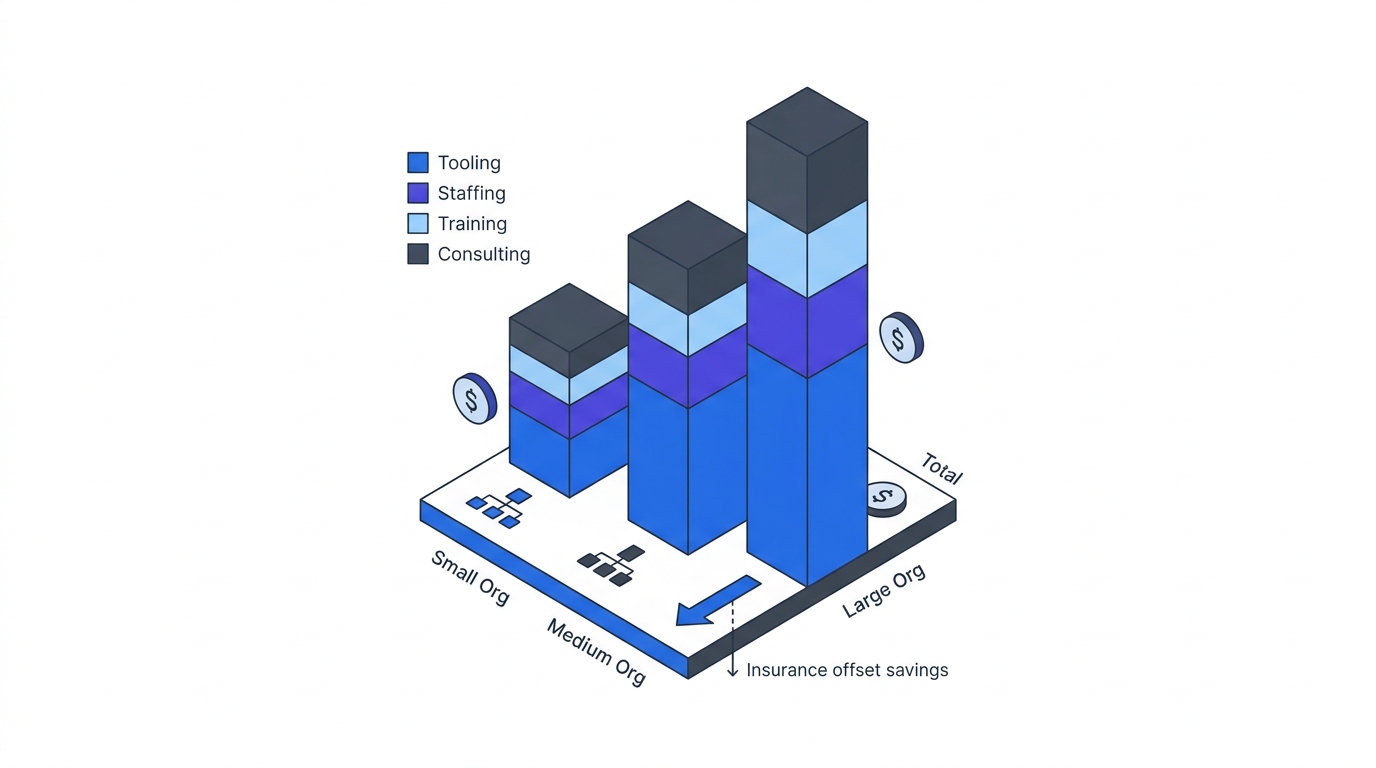
Budget allocated for the full 90 days. Not software licenses alone. Consulting, internal team ramp-up time, testing infrastructure, and exception-handling tools. A typical mid-market enterprise budgets $1.2M–$3M for a 90-day foundation programme across tooling, professional services, and internal labor. Budget scarcity doesn’t invalidate this playbook, but it forces phase extension — and extension compounds risk.
For the business case that justifies this investment to your CFO and board, start with Part 2: The Business Case. For the technology landscape that grounds tool choices within each phase, see Part 3: Technology Deep Dive.
What 90 Days Actually Moves (CISA Maturity)
Ninety days is a foundation, not a finish line. Mapped against the CISA Zero Trust Maturity Model’s five pillars, a disciplined programme moves Identity from Traditional to Advanced, brings Devices and one Network segment to Initial, and leaves Apps/Workloads and Data as Year-Two work. The chart below shows the realistic shape of that progression — not a vendor pitch deck.
For practitioners working alongside US Department of War (DoW), Defense Industrial Base (DIB), or National Security Systems counterparts, the same 90-day window aligns roughly with the NSA’s Discovery phase plus the early activities of Phase One of the Zero Trust Implementation Guidelines (ZIGs). NSA’s Discovery phase covers 14 activities supporting 13 capabilities — primarily inventory, scoring, and baselining work that mirrors the Foundation phase below. Phase One adds 36 activities supporting 30 capabilities, including the identity, MFA/SSO, and conditional-access work this playbook executes in Days 1–30. The full Target-level (Phases One and Two combined) covers 77 activities supporting 64 capabilities — which is why credible federal programmes plan in years, not quarters.
Foundation Phase: Application to Day 1
This is not part of the 90 days. This is the pre-game work that determines whether the 90-day sequence succeeds or fails.
Application Inventory and Criticality Scoring
You cannot segment what you haven’t mapped. You cannot enforce identity controls on systems you don’t know exist. The foundation phase begins with discovering and scoring every application, database, and service that your organization runs.
Start with your CMDB (configuration management database) if it exists and is maintained. Cross-reference with cloud billing exports, container registry scans, DNS queries from your network logs, and vendor management lists. The inventory should cover:
- Enterprise applications (SAP, Salesforce, custom ERP systems)
- Internal services and APIs (authentication services, logging pipelines, data warehouses)
- Developer tools and CI/CD infrastructure (Git, Jenkins, artifact repositories)
- Infrastructure services (Kubernetes, databases, load balancers)
- Legacy systems that nobody quite remembers how to retire
Score each application on three dimensions:
- Criticality to business operations. T0 (production revenue-impacting), T1 (supporting systems), T2 (productivity tools), T3 (internal tools), T4 (deprecated or deprecated-in-progress).
- Security risk profile. Based on data sensitivity, user base, attack surface, and historical breach patterns.
- Modernization readiness. Can this system support the Zero Trust control layers (identity federation, mutual TLS, continuous asset verification) that the later phases require?
Success criteria: You have a documented inventory of every material application, with documented owners, criticality scores, and a technical assessment of modernization readiness. See Application Criticality Scorecard for the detailed framework.
Governance Structure and Decision Authority
Zero Trust requires decisions at speed — typically during phase gates every 30 days. If decisions require seven layers of approval, your timeline will slip immediately.
Establish a governance structure with clear authority:
- Steering committee (monthly): CFO, CISO, CTO, business unit heads. Approves phase gates and exceptions.
- Program management office (weekly): Program lead, technical lead, operations lead, compliance. Manages day-to-day execution and escalations.
- Workstream leads (daily): Identity team, network team, endpoint team, operations. Own delivery within each phase.
For the detailed governance framework, including RACI matrices and decision-authority templates, see Governance Structure for Zero Trust Programmes.
Baseline Metrics and Measurement Dashboard
You cannot optimize what you don’t measure. Before you start the 90-day sequence, you need baseline numbers for the metrics you’ll track throughout:
- Identity: % of user authentication flows using MFA, % of service accounts managed, % of privileged users with PAM (privileged access management), % of access requests denied by conditional access policies.
- Network: % of network traffic flowing through east-west (lateral) segmentation, % of systems with asset inventory in the micro-segmentation database, dwell time (days from breach detection to containment).
- Endpoint: % of devices with endpoint detection and response (EDR), % of devices with full-disk encryption, % of devices with continuous compliance monitoring.
- Operations: mean time to detect (MTTD) a security incident, mean time to respond (MTTR), incident-related downtime hours per quarter, security exception count and aging.
Success criteria: You have a measurement dashboard with baseline numbers for all key metrics, updated weekly, visible to the steering committee, and integrated into the phase-gate decision process. See Measurement Dashboard for the detailed framework.
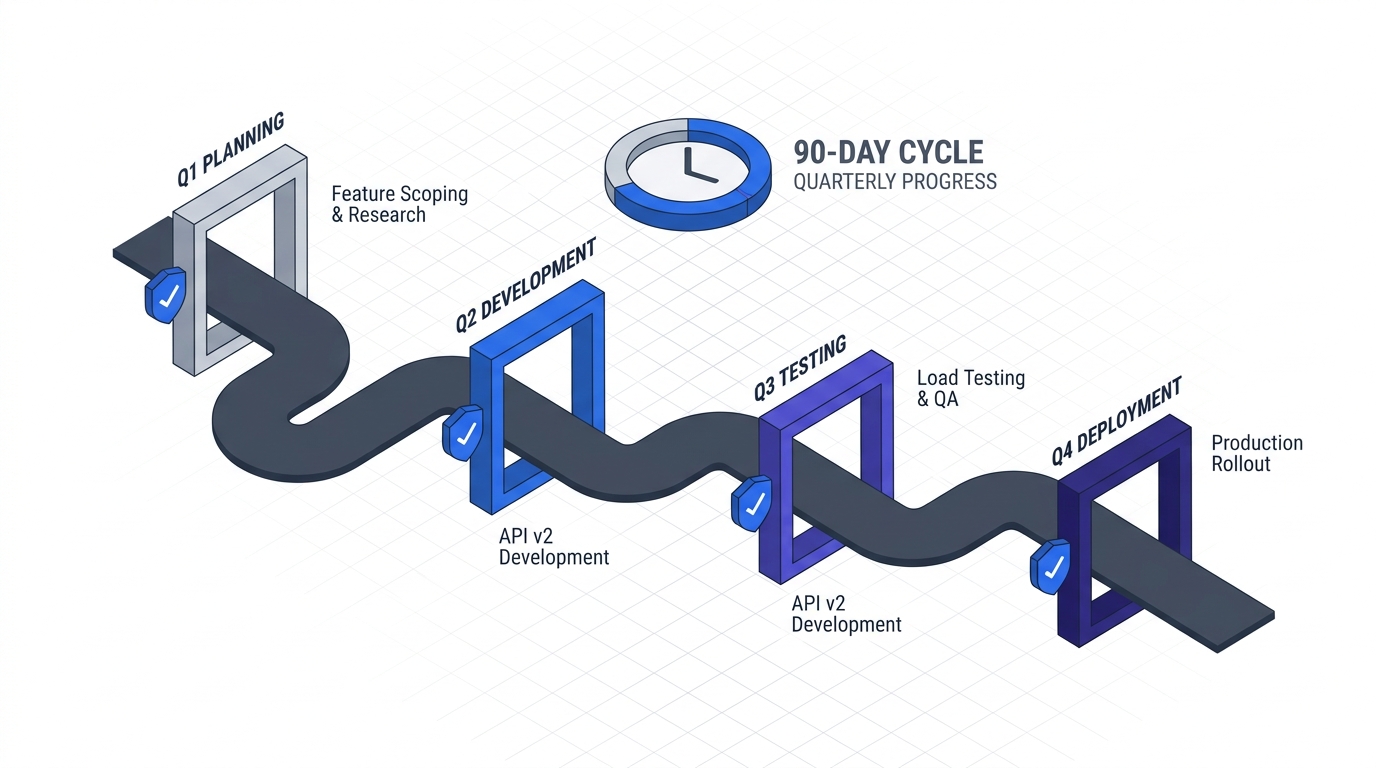
Phase 1: Days 1–30 — Identity First
Identity is the new perimeter. Attackers no longer need to cross a network boundary — they log in. Phase 1 hardens identity controls: multi-factor authentication, single sign-on, conditional access rules, and service account inventory.
Identity and Access Management (IAM) Rollout: MFA and SSO
Goal: Every human user authenticates with multi-factor authentication. Every application integrates with a central identity provider.
Scope:
- Deploy phased MFA rollout: start with VPN and email (highest risk), then expand to all applications within 30 days.
- Migrate all enterprise applications to federated SSO (via Azure AD, Okta, or Ping Identity). Assume 10-20% of applications have legacy connectors that require custom work.
- Configure conditional access rules in shadow mode (log violations without blocking) to establish baseline policy before enforcement.
Challenges you’ll hit:
- Legacy applications that don’t support modern authentication protocols (SAML, OAuth). Budget 2-4 weeks for identity bridge tools or application upgrades.
- User resistance to MFA, especially on mobile. Plan for 15-20% support tickets in the first two weeks. Prepare self-service workflows.
- Service accounts and API keys embedded in configuration files. You’ll discover far more than you expect.
Success criteria:
- 100% of users in scope enrolled in MFA, with activation rate >95% within 30 days.
-
90% of enterprise applications federated to your central identity provider.
- Conditional access policies defined (in shadow mode) for all T0 and T1 applications. Audit logs show daily policy evaluation and violation counts.
For the full MFA and SSO playbook, including vendor comparison and rapid rollout sequences, see MFA and SSO Rollout.
Service Account Inventory and Triage
Goal: Eliminate the blast radius of compromised service accounts through privileged access management.
Service accounts are the overlooked attack vector. They hold credentials to production databases, CI/CD systems, and API integrations. Compromised service accounts are often not detected for months because they don’t trigger user-behavior analytics.
Scope:
- Discover all service accounts across applications, databases, and infrastructure using configuration scanning, log analysis, and vendor tooling.
- Triage: Which accounts are critical? Which are orphaned or duplicative? Which can be eliminated?
- Implement privileged access management (PAM) for the highest-risk service accounts: database service accounts, CI/CD system accounts, backup and replication accounts.
- Establish vault-based credential rotation (30-day cycles minimum).
Challenges:
- Service accounts are often undocumented. You’ll discover accounts nobody remembers creating.
- Embedded credentials in application code and configuration files. Some systems require code changes to support vault-based secret retrieval.
- Application dependencies on service account credentials in third-party integrations (backup vendors, monitoring tools). Plan for 1-2 week per integration.
Success criteria:
- Complete inventory of all service accounts, with documented owners, criticality scores, and last-access timestamps.
-
80% of T0 and T1 service accounts under PAM with automated credential rotation.
- Service account compromise response playbook documented and tested.
See Service Account Triage and Remediation for the detailed framework.
Conditional Access Policy Definition (Shadow Mode)
Goal: Define conditional access policies that will control access in Phase 3, tested against real traffic in shadow mode.
Conditional access is identity-based access control: allow or deny access based on user identity, device state, location, and risk signals. Deploy in shadow mode now; enforcement comes in Phase 3.
Scope:
- Define policies for each T0 and T1 application: require MFA, require device compliance, deny access from suspicious locations, require step-up authentication for sensitive operations.
- Log every policy violation without blocking. Analyze the patterns: what % of legitimate traffic would be blocked? What policy refinement is needed?
- Document exception processes: who approves deviations from policy? How fast can exceptions be granted and revoked?
Success criteria:
- Conditional access policies defined and evaluated in shadow mode for 100% of T0/T1 applications.
- Daily audit logs show policy violations and trends. <5% false-positive rate (legitimate access blocked by policy).
- Exception approval process documented, with <4-hour approval turnaround for time-sensitive access.
See Conditional Access Shadow Mode for policy templates and evaluation methodologies.
Phase 2: Days 31–60 — Visibility and Device Trust
Phase 1 hardened identity. Phase 2 establishes visibility into what systems and devices your users are connecting from, and whether those devices meet your security standards.
Device Trust and BYOD Strategy
Goal: Establish device inventory, require mobile and laptop enrolment in a device management platform, and enforce device compliance policies.
Scope:
- Deploy mobile device management (MDM) and mobile application management (MAM) for all smartphones and tablets.
- Extend to laptops and desktops: Windows, macOS, and Linux device enrolment via Microsoft Intune, Jamf, or Linux-compatible platforms.
- Define device compliance policies: encryption required, antivirus enabled, patch level current, no jailbreak/rooting.
- Require device trust as a signal in conditional access: applications can now check “is this device compliant?” before granting access.
Challenges:
- BYOD creates friction. Personal devices may not meet your compliance standards, forcing employees to choose between security and convenience.
- Linux devices (developer laptops) often have limited MDM support. Plan for custom inventory and compliance checking.
- Third-party contractors and vendors bring their own devices. Define separate policies for externally-owned devices vs. corporate-managed hardware.
Success criteria:
-
90% of corporate-owned devices enroled in device management platform.
- Device compliance policies deployed and reporting daily. Noncompliant devices identified and remediated within 48 hours.
- Device compliance signals integrated into conditional access policies (shadow mode, not blocking yet).
See Device Trust and BYOD Strategy for MDM/MAM vendor comparison and policy templates.
Network Baselining and Asset Discovery
Goal: Establish a baseline inventory of all network assets and understand current traffic patterns before implementing segmentation.
Network segmentation (the goal of Phase 3) requires knowing what applications and services talk to each other, how much traffic flows between them, and which flows are anomalous.
Scope:
- Deploy network asset discovery: scan network ranges, cloud VPCs, and container platforms for live assets.
- Integrate with endpoint detection and response (EDR) tools: see which assets are running processes, handling credentials, and making network connections.
- Establish network flow baselines: use NetFlow, sFlow, or cloud VPC Flow Logs to understand east-west (lateral) traffic patterns.
- Document application dependencies: which microservices call which databases? Which CI/CD systems pull from which artifact repositories?
Challenges:
- Large networks can have thousands of assets. Filtering signal from noise requires intelligent baselining.
- Cloud assets come and go on the scale of minutes (auto-scaling groups). Static inventory becomes obsolete quickly.
- Shadow IT: development teams often spin up resources (cloud databases, Kubernetes clusters) outside of central IT control. Your baselining must include these or your segmentation will block legitimate traffic.
Success criteria:
- Complete network asset inventory covering on-prem, cloud, and container infrastructure.
- Network flow baseline established: 7-day rolling average of traffic flows captured and documented.
- Asset dependency map created for all T0 and T1 applications.
See Network Baselining for asset discovery tools and flow baseline methodologies.
Micro-Segmentation Design (No Enforcement Yet)
Goal: Design micro-segmentation policies that will be enforced in Phase 3. Design-phase testing catches problems before enforcement.
Micro-segmentation restricts lateral movement: a compromised web server can’t automatically reach your database. Instead of network-wide trust, every communication requires explicit authorization.
Scope:
- Using the network baseline from above, define segmentation policies for T0 and T1 applications.
- Each policy specifies: source (e.g., web tier servers), destination (e.g., database servers), allowed protocols and ports.
- Test in a sandbox or pre-production environment. Verify that legitimate traffic is allowed and illegitimate traffic is blocked.
- Document exceptions: systems that need broader connectivity, why, and who approves those exceptions.
Challenges:
- Legacy systems often make broad network requests (“my app needs to talk to anything on the database subnet”). Tightening those policies requires application changes or additional load balancers.
- Segmentation requires infrastructure changes: new network zones, firewalls, or software-defined networking (SDN). Plan for coordination with network operations.
- Enforcement requires continuous monitoring: if you block traffic, you need visibility into what was blocked and why.
Success criteria:
- Micro-segmentation policies designed for 100% of T0/T1 applications.
- Policies tested in sandbox environment with <2% deviation from baseline expectations.
- Exception approval process documented and tested.
See Micro-Segmentation Design for policy templates and sandbox testing methodologies.
Phase 3: Days 61–90 — Enforcement and Verification
Phases 1 and 2 built controls and tested them in shadow mode. Phase 3 flips the switch: enforcement mode.
Graduated Enforcement of Conditional Access Policies
Goal: Convert conditional access from shadow mode to enforcement, rolling out gradually to minimize disruption.
Scope:
- Start with lowest-risk policies: require MFA for all applications (week 1).
- Move to device compliance policies: require enrolled devices for VPN access (week 2).
- Enforce location-based policies: block access from high-risk geographies (week 3).
- Enforce application-specific policies: step-up authentication for sensitive operations (week 4).
Challenges:
- Users will find workarounds. If conditional access blocks their 3 AM access, they may bypass security controls.
- Support tickets spike during enforcement rollout. Plan for 30-40% increase in helpdesk volume in the first two weeks.
- Legacy applications may not handle authentication challenges gracefully. Test extensively.
Success criteria:
- Conditional access policies enforced for 100% of users and applications.
- Support ticket volume spike remains <2x baseline and resolves within 72 hours.
- Zero security-critical exceptions (those bypassing core controls) granted without steering committee approval.
See Graduated Enforcement for rollout phasing and support ticket mitigation strategies.
CI/CD Pipeline Hardening
Goal: Extend Zero Trust principles to your build and deployment infrastructure: secure the entire supply chain from code commit to production.
Scope:
- Require signed commits: developers authenticate with keys, not just GitHub credentials.
- Artifact signing: every Docker image, binary, and package is signed and verified before deployment.
- SBOM (software bill of materials) generation: every deployment includes a documented list of dependencies and versions.
- Secrets scanning: prevent credentials from being committed to code repositories.
- Deployment authorization: only authorized CI/CD pipelines can deploy to production, with full audit trail.
Challenges:
- This adds friction to developer workflows. Tight supply chain controls can slow down shipping.
- Legacy build systems may not support modern artifact signing and verification.
- Third-party dependencies introduce risk: you can verify your code, but can you verify all transitive dependencies?
Success criteria:
- Signed commits required for all code commits to production branches.
- All artifacts (containers, binaries, packages) signed and verified before deployment.
- SBOM generated and tracked for all deployments.
- Zero credentials committed to repositories in the past 30 days.
See CI/CD Pipeline Hardening for signing tool selection and pipeline integration patterns.
Verification and Continuous Compliance
Goal: Confirm that your Zero Trust implementation is working: access is controlled, anomalies are detected, and the system continues to enforce policies over time.
Scope:
- Continuous compliance monitoring: daily scans confirm that systems meet Zero Trust baselines (encryption, MFA, patches, policy adherence).
- Anomaly detection: machine learning models flag unusual access patterns (user accessing unusual resources, access at unusual times).
- Breach simulation: red team exercises confirm that micro-segmentation actually limits lateral movement.
- Metrics review: weekly steering committee review of identity, network, endpoint, and operational metrics.
Success criteria:
- Continuous compliance dashboard shows >95% compliance with Zero Trust baselines.
- Anomaly detection system has <5% false positive rate and detects 80%+ of simulated breaches in under 1 hour.
- Post-exercise debrief from red team confirms segmentation working as designed.
Cross-Cutting Operations: Legacy Systems, Exceptions, and Budgeting
Three themes cut across all three phases and determine long-term success.
Legacy System Strategies
Zero Trust is hardest for legacy systems: systems built before identity federation existed, before cloud, before containers. They often require custom integration work or architectural changes.
For each T0 and T1 legacy system, make an explicit decision:
- Modernize it to support Zero Trust natively (potentially multi-quarter effort).
- Bridge it: put an identity gateway or reverse proxy in front of it that translates modern authentication to legacy protocols.
- Isolate it: keep it on the network, but segment it so that a compromise has limited blast radius.
- Retire it: if it’s truly end-of-life, removing it is cheaper and safer than retrofitting it.
This decision shapes the 90-day timeline. If you have three legacy systems that require bridging, budget an extra 4-6 weeks for integration work.
See Legacy System Strategies for decision frameworks and integration patterns.
Exception Management and Approval Workflows
No policy is perfect. Users will need exceptions: contractors need access from unusual locations, legacy applications need broader network connectivity, compliance audit access needs to bypass certain controls.
Without a formal exception management process, your security team will spend weeks processing ad-hoc requests, and your policies will silently erode as informal workarounds accumulate.
Scope:
- Define exception categories: identity exception (MFA waiver), network exception (segmentation bypass), device exception (noncompliant device access).
- Establish approval authority: who can approve what type of exception? How long is the approval valid?
- Track and review: weekly report to the CISO on all active exceptions, with aging and risk assessment.
- Remediate: when an exception expires, enforce it or justify extension.
Success criteria:
- Exception tracking tool implemented and integrated into your identity and network management platforms.
- <15% of users have active security-critical exceptions at any time.
- All exceptions reviewed quarterly. >50% terminated as no longer necessary.
See Exception Management for request templates and review workflows.
Budgeting for Phases and Year Two
This playbook assumes 90 days to lay the foundation. Year Two is where you deepen and extend to T2 and T3 systems, develop in-house operational capability, and build toward full maturity.
Budget model (mid-market enterprise, $200M annual revenue):
Phase 1 (Days 1–30): $400K–$600K
- MFA platform and deployment: $100K–$150K
- SSO platform and integration: $150K–$200K
- Conditional access tools and consulting: $100K–$150K
- Internal labor (0.5 FTE program lead, 1 FTE identity engineer): $100K–$150K
Phase 2 (Days 31–60): $600K–$900K
- MDM/MAM platform and enrollment: $200K–$300K
- Network visibility and baselining: $150K–$200K
- Micro-segmentation design and POC: $200K–$300K
- Internal labor (1 FTE network engineer, 0.5 FTE architect): $150K–$200K
Phase 3 (Days 61–90): $400K–$600K
- Enforcement tooling and hardening: $100K–$150K
- CI/CD integration and artifact signing: $100K–$150K
- Testing and red team exercises: $100K–$150K
- Internal labor (1 FTE operations engineer, consulting): $100K–$150K
Total 90-day foundation: $1.4M–$2.1M
Year Two expansion and deepening: $800K–$1.2M
See Budget Guide for vendor-specific cost breakdowns and TCO modeling.
Navigation: The Complete Playbook
This page is the hub. Below are all 15 chapters — the detailed guides for each phase and cross-cutting concern.
Foundation Phase
- Application Criticality Scorecard — Framework for discovering, inventorying, and scoring every application your organization runs.
- Governance Structure — Steering committee, PMO, and workstream structure for phase-gated delivery.
- Baseline Metrics — Identity, network, endpoint, and operational metrics to track throughout the programme.
Phase 1: Days 1–30
- MFA and SSO Rollout — Phased deployment of multi-factor authentication and federated single sign-on.
- Service Account Triage — Discovering, inventorying, and hardening service accounts with privileged access management.
- Conditional Access Shadow Mode — Defining identity-based access control policies and testing in shadow mode before enforcement.
Phase 2: Days 31–60
- Device Trust and BYOD — Mobile device management, laptop enrolment, and device compliance policies.
- Network Baselining — Asset discovery, flow logging, and dependency mapping.
- Micro-Segmentation Design — Designing and testing network segmentation policies before enforcement.
Phase 3: Days 61–90
- Graduated Enforcement — Rolling out conditional access enforcement with phased policy activation.
- CI/CD Pipeline Hardening — Securing the supply chain: signed commits, artifact verification, and SBOM.
Cross-Cutting Operations
- Legacy System Strategies — Modernize, bridge, isolate, or retire: decision framework for systems that don’t support modern identity.
- Exception Management — Formal processes for granting, tracking, and reviewing security exceptions.
- Measurement Dashboard — Metrics, dashboards, and KPIs for weekly steering committee review.
- Budget Guide — Cost modeling, vendor pricing, and TCO analysis for 90-day foundation and Year Two.
Connection to the Larger Zero Trust Strategy
This playbook is the implementation guide. For the broader strategic context:
- Zero Trust Architecture: The Executive Guide — Core concepts and why Zero Trust matters for your organization.
- Zero Trust Architecture: The Business Case — Business justification, ROI modeling, regulatory drivers, and M&A implications.
- Zero Trust Architecture: The Technology Deep Dive — NIST pillars, vendor landscape, and technology selection criteria.
- Axios: Defending Against Supply Chain Attack — Real-world case study of Zero Trust principles applied to supply chain defense.
How to Use This Playbook
For CTOs and CISOs: Start here. Read this hub page, then read the Business Case (Part 2 of the larger series). Use the Business Case to justify the 90-day programme to your board. Then dive into the Foundation phase materials — Application Criticality Scorecard, Governance Structure, Baseline Metrics — before you start Phase 1.
For architects and engineers: Start with the Technology Deep Dive from the larger series. It grounds the vendor landscape and technology selection. Then use the phase-specific guides (MFA/SSO, Conditional Access, Micro-Segmentation) for implementation details.
For programme managers: Start with Governance Structure and Budget Guide. These are your tools for sequencing, staffing, and tracking delivery. The exception management and measurement dashboard guides are your dashboards for weekly steering committee review.
For security teams: The phase-gated approach means you’re building controls incrementally. Each phase has success criteria; use those to scope your work. The exception management guide is critical — it’s where your team will spend most of its time after enforcement starts.
For operations and infrastructure teams: Phase 2 (network baselining and micro-segmentation design) and Phase 3 (enforcement) are where you’ll do the heavy lifting. Start with the network baselining guide to understand the infrastructure inventory and asset discovery work. The legacy system strategies guide is critical if you have systems that don’t fit the modern architecture.
Key Success Factors
Phase-gating works. But three factors separate programmes that hit their 90-day timeline from those that slip into Year Two:
-
Executive sponsorship that includes the CFO. Budget doesn’t slip. Phase gates aren’t negotiated down. Decisions are made in days, not weeks.
-
Ruthless scope discipline. The temptation to expand scope is enormous — add that other application, harden that endpoint, extend to T2 systems. Resist it. The first 90 days are about foundation. Deepening comes in Year Two.
-
Real-time metrics and escalation. Weekly steering committee review of the measurement dashboard surfaces problems early. If identity integration is slipping, you see it by day 14, not day 28. Early escalation means course correction, not timeline slip.
The maturity gap is real. But it’s not because Zero Trust is hard. It’s because most organizations approach it without operational sequencing, decision frameworks, and honest assessment of constraints. This playbook provides all three.
Start with your board. Get approval. Assemble your team. Then start the Foundation phase.